Bird Sounds1.0
Publisher Description
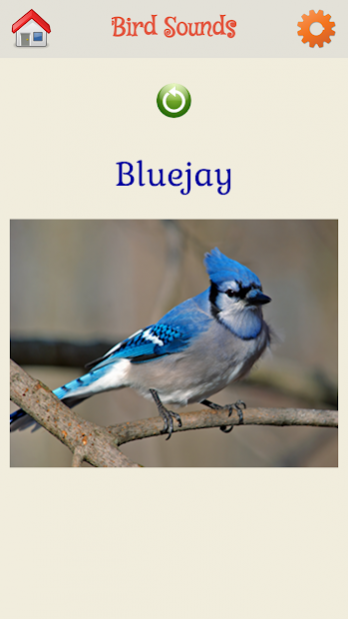

More than 50 birds and their sounds. This app helps your kids to co-relate the name/picture/sound of various birds.
Features:
★ Kids can identify birds by their sweet sounds with high quality pictures.
★ Easy swiping of the screen to move between different birds.
★ Parents can turn on - Continuous looping option under Settings. With this option kids can go through various birds automatically and repeatedly as well.
★ Customizable speed for Looping - Parents can decide how fast to go from one bird to the other.
★ Option to turn off the voice is available. This helps the parents to test kids understanding of words and their pronunciation.
★ Fun & engaging voice keeps the kids engaged
★ It's FREE and will always be.
Install this app right away and gift your child a wonderful learning experience. We are more than happy to hear feedback from you. Review us.. Write to us.. Send us love.. Rate us.. Share the app with your friends and their kids too.
If your kids like this app, try out our other app - Animal Sounds as well :)
About Bird Sounds
The company that develops Bird Sounds is Shemetenga. The latest version released by its developer is 1.0.
To install Bird Sounds on your Android device, just click the green Continue To App button above to start the installation process. The app is listed on our website since 2014-11-07 and was downloaded 1 times. We have already checked if the download link is safe, however for your own protection we recommend that you scan the downloaded app with your antivirus. Your antivirus may detect the Bird Sounds as malware as malware if the download link to shemetenga.birdsounds is broken.
How to install Bird Sounds on your Android device:
- Click on the Continue To App button on our website. This will redirect you to Google Play.
- Once the Bird Sounds is shown in the Google Play listing of your Android device, you can start its download and installation. Tap on the Install button located below the search bar and to the right of the app icon.
- A pop-up window with the permissions required by Bird Sounds will be shown. Click on Accept to continue the process.
- Bird Sounds will be downloaded onto your device, displaying a progress. Once the download completes, the installation will start and you'll get a notification after the installation is finished.
